Your Food Looks Better Than Your Photos. That's a Revenue Problem.
Walk into almost any independent restaurant in Kentucky and the food is genuinely good. Then pull up the Google Business Profile and you'll find a burger shot under a heat lamp at 7:15 on a Friday night, glowing orange, half-blurred, with a server's elbow in the frame.
That gap between the plate and the picture costs real money. Your photos are doing the selling on DoorDash, on Google, on Instagram, and on the moment somebody's deciding between you and the place two blocks over. A bad photo doesn't just look bad — it actively talks people out of ordering.
Here's the fix, and it doesn't involve hiring anyone or buying a camera: shut the doors for one afternoon and shoot the entire menu in a single controlled session. One setup. One workflow. Thirty-plus usable images banked for the year.
Here's exactly how to run it.
Why Mid-Rush Phone Photos Always Fail
Before the system, understand why the current approach is broken. It's not your phone. Phones are great now. It's three things working against you at once.
The lighting is wrong. Restaurant interiors are lit with warm tungsten or LED bulbs designed to make people feel cozy. Your camera reads that as orange. Add a heat lamp in the pass and you've got food that looks like it's been sitting under a tanning bed.
The timing is wrong. Food has a window. Fries go limp in four minutes. Cheese sets. Sauces skin over. Ice melts and waters down the color of a drink. If you're grabbing a shot while the ticket printer is screaming, you're photographing food at its worst moment, not its best.
The angle is wrong. Most mid-rush shots are taken standing up, looking straight down at a plate sitting on a dark table under a ceiling light. That means your own shadow is in the shot and the food is lit from directly above, which flattens everything.
None of this is a skill problem. It's a conditions problem. Fix the conditions and an average phone photographer produces genuinely good work.
Step 1: Pick the Window, Not the Time
Your entire shoot depends on one decision: which window you shoot next to.
You want a window that gets bright, indirect light. Not direct sunbeams hitting the table — that creates harsh, blown-out highlights and hard shadows. You want the kind of light you get on an overcast day, or from a window that faces away from the sun at the time you're shooting.
Here's the practical version for most Kentucky main-street buildings:
- North-facing windows are the gold standard. Soft, consistent light all day.
- East-facing windows are great in the afternoon, when the sun has moved off them.
- West-facing windows are great in the morning.
- South-facing windows usually need a thin white curtain or a sheet of parchment taped up to diffuse the light.
Go stand at each window in your dining room at 1 p.m. on a Tuesday. The one where your hand looks good — soft shadow, no harsh glare — is the one.
Then pick your afternoon. Most restaurants have a dead zone between lunch and dinner. That's your shoot window. Lock the doors or rope off a corner of the dining room and treat it as closed.
Overcast days are a gift, not a setback. Cloud cover is a free softbox. If you've got a gray Tuesday coming, that's your shoot day.
Step 2: Build a Two-Foot Set and Never Move It
This is the part most people skip, and it's the part that makes the whole thing work.
You're not going to carry plates around the dining room looking for good light. You're going to build one small set next to the window and bring every single dish to it. Same spot, same light, same angles, every time.
Here's the build:
- Pull a two-top table to within about three feet of the window. The side of the table closest to the window is your light source. That's your "key light."
- Put a surface on it. A wood cutting board, a sheet of butcher paper, a slab of slate, a clean linen — anything that isn't a glossy restaurant table with crumb texture. Two or three surface options gives you visual variety without changing your setup.
- Grab a white bounce card. A sheet of foam board, a cut-open cardboard box with white paper taped on, even a clean white sheet pan. Place it on the opposite side of the plate from the window.
That bounce card is the single biggest upgrade in this whole process. The window lights one side of the dish. Without a bounce, the other side falls into dark shadow. The card throws soft light back into the shadow side and makes the food look dimensional instead of half-lit.
- Turn off the overhead lights in that section. Mixing warm interior bulbs with cool daylight is what makes photos look muddy and color-shifted. Window light only.
That's it. That's the studio. Total cost: zero.
Step 3: Prioritize Your Menu Before You Cook a Thing
Do not start with the dish you're proudest of. Start with the dish that makes you the most money.
Sit down with your POS report and sort the menu into three tiers:
Tier 1 — Shoot these no matter what (8–12 dishes):
- Your top five sellers by volume
- Your highest-margin items
- Anything you push on delivery apps
- Your signature item, the one people drive in for
Tier 2 — Shoot if time allows (10–15 dishes):
- Items you want to sell more of
- Seasonal or LTO items running right now
- Drinks, especially anything with color or garnish
- Desserts
Tier 3 — Skip:
- Sides that look like every other side
- Anything beige and shapeless
- Items you're thinking about 86ing anyway
Write the shoot order on a whiteboard in the kitchen. Order matters: shoot the most durable items last and the most fragile items first. Anything with ice, melted cheese, foam, or fresh greens goes early. Anything that holds — a steak, a slab of pie, a charcuterie board — goes at the end when the light is dimming and you're tired.
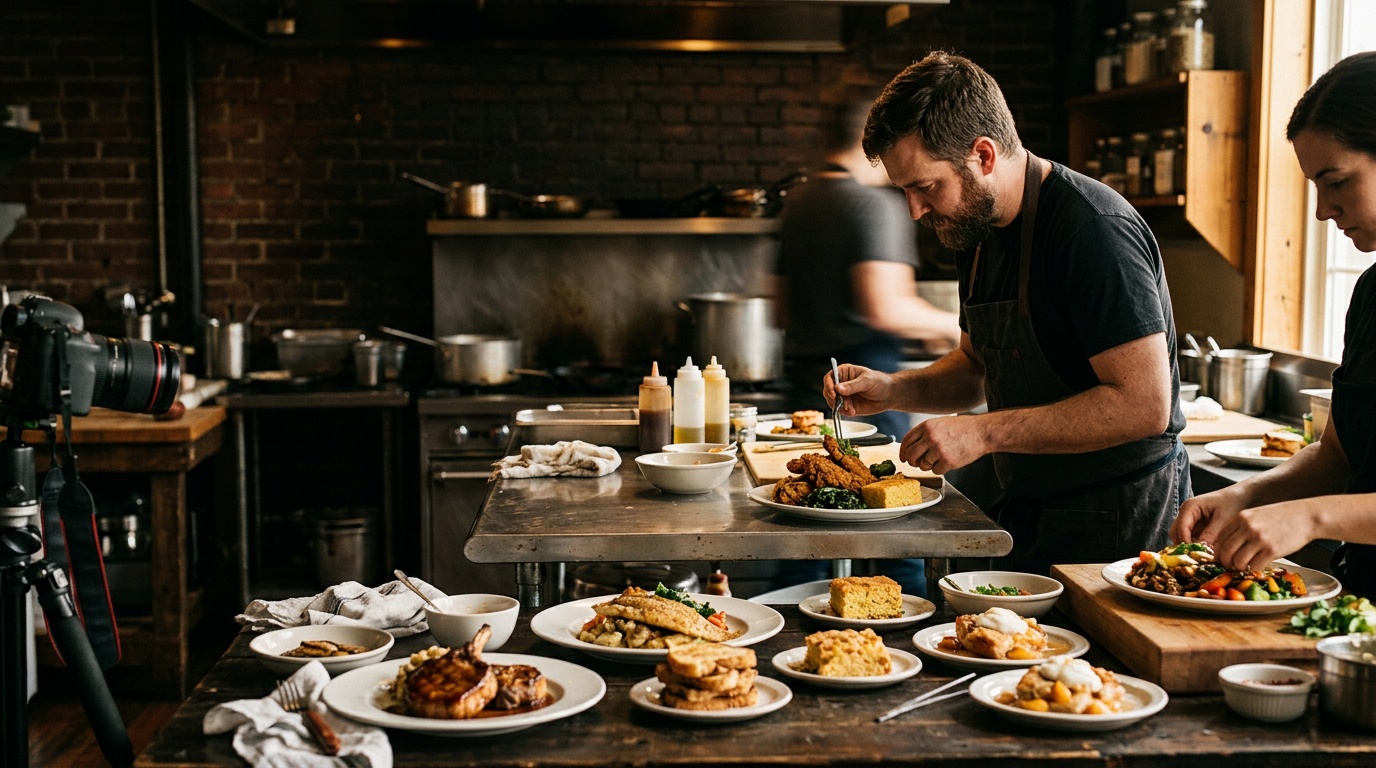
Step 4: The Plate-to-Plate Workflow
This is the assembly line that lets you bank 30+ images in three hours. You need three roles. If you've only got two people, the shooter can double as the stylist.
The Cook (back of house): Plates each dish to spec, one at a time, on the whiteboard order. Doesn't rush, doesn't improvise. Plates it exactly the way a paying customer would get it — because that's the whole point.
The Stylist (anyone with steady hands and patience): Carries the plate to the set, wipes the rim with a damp cloth, adjusts garnish, pushes the hero element toward the camera. Keeps a spray bottle of water for greens and a small brush with neutral oil for proteins that have gone dull.
The Shooter: Never leaves the set. Doesn't touch the food. Just shoots.
Who should hold the phone? Not the owner. Not the chef. The owner will keep wandering off to answer a question, and the chef will keep re-plating instead of shooting. Pick whoever on your staff posts the most on their own social accounts — they already have instincts for framing, and they'll keep up the pace.
Here's the per-dish sequence. It takes about four minutes once you're in rhythm:
- Plate lands on the set
- Stylist does a ten-second cleanup
- Shot A — 45-degree angle. The most useful shot you'll take. This is how the food looks when you sit down in front of it. Works for almost everything.
- Shot B — straight overhead. Best for bowls, flatbreads, spreads, anything flat or round. This is your Instagram grid shot.
- Shot C — low and close. Camera near table height, tight on the hero element. This is your burger-layers, your pour shot, your cheese pull.
- Stylist clears, next plate comes up
Three shots per dish, 12 dishes in Tier 1, and you've got 36 images before you touch Tier 2.
Step 5: Phone Settings That Actually Matter
Keep this short, because most of it is default.
- Lock focus and exposure. Tap and hold on the hero element until the focus lock indicator appears. Then slide down slightly to darken the image a touch. Slightly underexposed food photos look richer; blown-out highlights can't be recovered.
- Turn the flash off. Permanently. Direct flash is what makes food look like evidence.
- Clean the lens. Kitchen phones have grease on them. This is why your photos look hazy.
- Shoot in the highest quality setting your phone offers so you have room to crop later.
- Don't zoom. Move closer instead. Digital zoom destroys detail.
- Shoot horizontal AND vertical of your Tier 1 items. Google and delivery apps want horizontal. Instagram and TikTok want vertical. Take both while the plate's in front of you.
Step 6: Edit Once, in a Batch, with One Preset
Don't edit dish by dish over the next three weeks. You'll get inconsistent results and you'll quit halfway.
Sit down the next morning and do it in one pass:
- Cull hard first. Pick the single best frame of each shot type. Delete the rest. Nothing kills a photo project faster than 400 nearly identical images.
- Edit one image until it's right. Usually: nudge exposure up slightly, pull warmth down a little (kitchens run warm), add a touch of contrast, bring up shadows so the dark side of the plate has detail.
- Copy those settings to everything else. Every phone photo app and every free editor does this. Because you shot everything in the same light, the same corrections will work across the whole set.
- Export into folders by use: Google Business Profile, delivery apps, social, website, print.
Consistency is what makes a menu library look professional. Twelve dishes with slightly different color temperatures look amateur. Twelve dishes that look like they belong together look like a brand.
Where These Images Actually Go to Work
Banking the photos isn't the win. Deploying them is.
- Google Business Profile: Upload your Tier 1 horizontals. This is the first thing somebody sees when they search "lunch near me" from a car in your parking lot.
- Delivery apps: Replace the generic platform stock images on every item you have a photo for. People order with their eyes and these listings are pure photo-versus-photo competition.
- Your website menu: Attach images to the high-margin items specifically.
- Social content calendar: Thirty-six images is roughly three months of posts if you're going three times a week.
- Printed specials boards and table tents
One afternoon, closed doors, three people, zero hires. That's the whole system.
When It's Worth Bringing in a Pro Instead
Be honest about the ceiling here. This system produces consistently good, usable, modern photos. It does not produce dramatic hero imagery for a billboard, a brand campaign, or a new location launch.
Bring in a professional when:
- You're rebranding or opening a second location
- You need video alongside stills
- You're pitching distributors, press, or a large catering client
- Your concept depends on atmosphere as much as food — and you need the room, the staff, and the plates in the same body of work
For most independent restaurants in Kentucky, the right move is a DIY menu shoot twice a year for the working library, and a professional session once for the brand images that have to carry real weight. The two aren't in competition.
If you'd rather not run this yourself — or you want a brand-level photography session that gives you images worth building a whole marketing year around — that's what we do. We work with restaurants and cafes across London, Corbin, Somerset, Richmond, and Lexington, and we can pair the shoot with social media management so those images actually get used instead of sitting in a folder. Book a strategy call and let's figure out which one your business actually needs.
 Cody NottinghamFounder & Director of Photography, Envision Media Co. · London, KY
Cody has run camera on 300+ shoots for 50+ businesses across southeastern Kentucky since 2022, from Somerset marinas to Corbin contractors to Lexington retail. He still shoots most jobs himself, which is where the specifics in these posts come from. More about Cody.